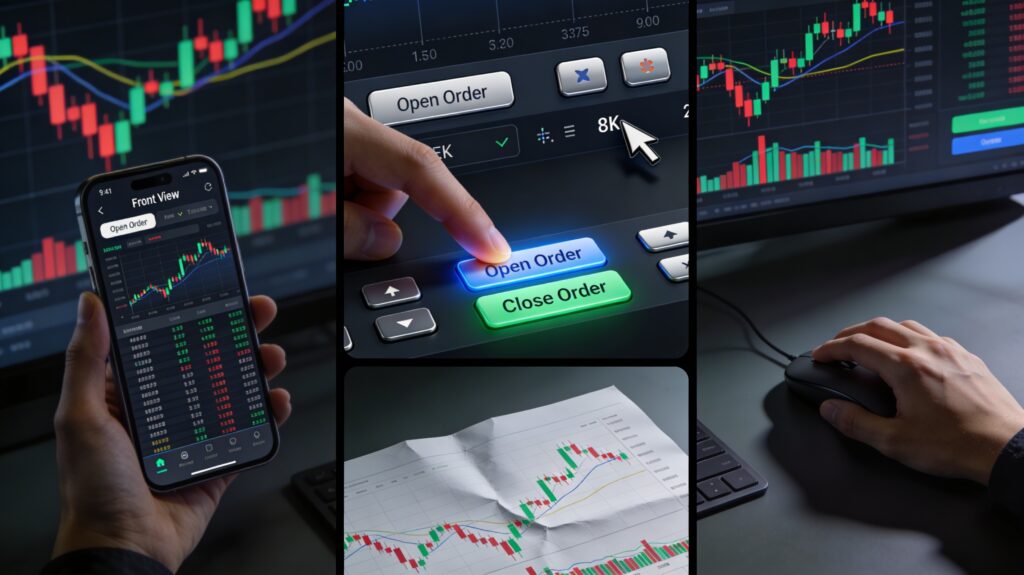



Fundamentals of Opening and Closing Orders: Practical Steps for New Forex Traders
Stepping into the world of Forex trading is exciting, but navigating the platform to place your first trade can feel daunting. Understanding how to correctly open (เปิด – *Pert*) and close (ปิด – *Pit*) orders is the bedrock of executing your trading strategy. This guide breaks down the practical steps, making it clear for beginners.
Before You Place Your First Order: Essential Setup
- Choose a Reputable Broker & Platform: Select a broker regulated in your region and a trading platform (like MetaTrader 4/5, cTrader, or the broker’s proprietary platform) that suits your needs. Download and install it.
- Open a Demo Account: Absolutely crucial for beginners! Practice opening and closing orders with virtual money. This builds confidence and familiarity without risking real capital. Spend significant time here.
- Understand Basic Order Types:
- Market Order (Instant Execution): Executes immediately at the best available current market price.
- Limit Order: To buy below the current market price or to sell above the current market price. Executes only if the price reaches your specified level.
- Stop Order (Stop-Loss Order): Primarily used to limit losses. A Sell Stop is placed below the current price, a Buy Stop is placed above the current price. Becomes a market order when triggered.
- Stop-Limit Order: A combination: triggers at a Stop price but only executes at a specified Limit price or better. Offers more price control but may not fill.
- Know Your Instrument: Clearly identify the currency pair you want to trade (e.g., EUR/USD).
- Determine Position Size (Lots): Calculate how much you want to risk per trade based on your account balance and risk management rules. Standard Lot = 100,000 units, Mini Lot = 10,000 units, Micro Lot = 1,000 units.
- Set Stop-Loss (SL) & Take-Profit (TP): Decide in advance where you will exit the trade if it goes against you (SL) or hits your profit target (TP). Setting these when you open the order is highly recommended.
Practical Steps: Opening an Order (Pert Order)
While platforms vary slightly, the core process is similar:
- Login to Your Trading Platform: Access your live or demo account.
- Select the Currency Pair: Find the pair you want to trade in the “Market Watch” or “Symbols” list. Double-click it or drag it onto the chart. This usually opens an order window.
- Choose Order Type: Select either “Market Execution” (for immediate entry) or “Pending Order” (for Limit or Stop entry).
- Specify Volume (Lot Size): Enter the number of lots (e.g., 0.10 for a mini lot). Double-check this!
- Set Stop-Loss (SL) and Take-Profit (TP): Enter the price levels (not pips) where you want these orders to trigger. Most platforms show the distance in pips as you type. Important: Ensure your SL is placed at a level that aligns with your risk per trade calculation.
- Choose Direction (Buy/Sell):
- Buy (Long): You believe the price will rise.
- Sell (Short): You believe the price will fall.
- Review & Execute: Double-check all parameters: Symbol, Volume, Order Type, SL, TP, Direction. Click “Buy” or “Sell” (for Market) or “Place” (for Pending Orders).
For Pending Orders (Limit/Stop): After step 3, you’ll also need to specify the Entry Price (the price level you want the order to trigger at) and the Expiry time (if applicable) before clicking “Place”.
Practical Steps: Closing an Order (Pit Order)
Exiting a trade is just as important as entering. Here’s how:
- Locate Your Open Position: Go to the “Trade” or “Positions” tab in your platform. This lists all your currently open trades.
- Select the Position to Close: Click on the specific position you want to close.
- Choose Closing Method:
- Close at Market: The most common method. Executes immediately at the current best available price. Look for a button labeled “Close”, “Close Trade”, or “Close at Market”. A confirmation window usually pops up.
- Partial Close: Some platforms allow you to close only part of your position. Modify the closing volume in the window before confirming.
- Confirm Closure: Review the details (symbol, volume to close, estimated price) in the confirmation window and click “OK”, “Confirm”, or “Close”.
Important Notes on Closing:
- SL/TP Execute Automatically: If the price hits your pre-set Stop-Loss or Take-Profit level, the platform will automatically close the position at the best available price (or your limit price if it’s a Stop-Limit). You don’t need to manually close in this case.
- Modifying SL/TP: You can usually right-click on an open position in the “Trade” tab and select “Modify” or “Modify Order” to change your SL and TP levels while the trade is active.
- Slippage: During very fast market movements (high volatility), your closing price (especially on Market Orders or triggered SL/TP) might be slightly different from the price you saw when clicking, due to “slippage”.
Key Tips for New Traders (Mue Mai)
- Demo First, Always: Master opening and closing orders on your demo account until it’s second nature. Practice different order types and scenarios.
- Start Small: When transitioning to live trading, start with the smallest possible position size (micro lots) to manage risk while you gain experience.
- SL is Non-Negotiable: Always, always use a Stop-Loss order on every trade. It’s your essential safety net.
- Double-Check Everything: Before hitting “Buy”, “Sell”, or “Close”, meticulously check the symbol, volume, order type, and SL/TP levels. One wrong click can be costly.
- Understand Platform Fees: Be aware of any commissions or spreads charged by your broker, as these affect your profit/loss when opening and closing.
- Don’t Panic Close: Stick to your trading plan. Avoid closing positions prematurely out of fear unless your predefined exit criteria are met.
Opening and closing orders are the fundamental mechanics of Forex trading. By understanding the different order types and diligently practicing the steps on a demo platform, new traders can build the confidence and precision needed to execute their strategies effectively in the live market. Remember, discipline and risk management start with mastering these basic actions.